Clinic AI and Automation Toolkit
Less admin.
More patients.
See how much time and money AI and automation could save your clinic — and get a free three-month plan to make it happen.
Free · Personalised to your clinic · Sent as a PDF
A typical 5-clinician clinic could save
49 hrs
of admin every week
74
extra appointments a week — about $306,400 a year
0.3
of a full-time front desk role — about $20,800 a year in wages
Illustrative example, not a real clinic’s results or a guarantee. Assumes 12 patients per clinician a day, 5 days a week, a $90 average fee, front desk time at $37 an hour, and that time saved is filled with appointments or no longer paid for.
Where the time comes back
Two ways your clinic saves
Admin time costs you twice: clinicians who could be seeing patients, and front desk hours you pay for.
Your clinicians
More time for patients
Notes, letters and reports are drafted for them, so appointments stop being lost to paperwork.
- Voice-to-text clinical notes
- AI scribe that drafts the note from the consult
- First drafts of letters and reports
37 hrs
a week back — room for about 74 more appointments
Your front desk
Fewer paid hours on admin
Reminders, bookings, forms and payments run themselves, so the desk keeps up without adding hours.
- Automatic confirmations and reminders
- Online bookings and waitlist fill
- Automated invoicing and debt reminders
12 hrs
a week saved — about 0.3 of a full-time role
How it works
One step at a time
Your team takes on one area of the clinic at a time, so nothing changes overnight and the savings build as you go.
1
Month one
Clinical notes and letters
2
Month two
Diary and front desk
3
Month three
Before, during and after the visit
Open any month to choose the tools you’d use and see what they’re worth to your clinic.
14 of 14 tools in your plan
An estimate, not a guarantee. Assumes 5 days a week, 30-minute appointments, front desk time at $37 an hour, and that time saved is filled with appointments or no longer paid for.
Your team stays in control
JAN drafts. Your people decide.
JAN is a documentation and administration assistant — it does not diagnose, it does not recommend treatment, it does not interpret patient records, and it never acts on clinical information on its own.
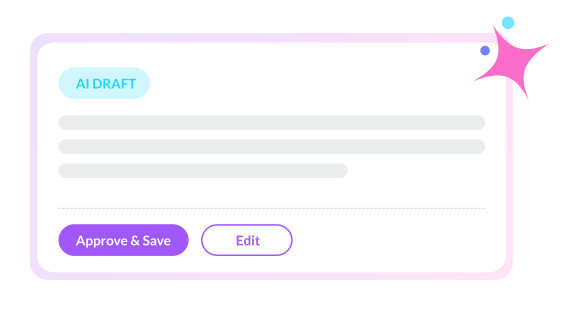
- Nothing reaches the record until a clinician approves it Every draft is read, edited and signed off by the clinician responsible for it.
- Patients agree before a consult is recorded JAN asks every time, and your team decides when to use it.
- Nobody is opted in by default AI can be switched off per clinician, and access follows the Nookal permissions you already have.
Your free toolkit
Get your free toolkit and win back your week
Everything you need to give clinicians more time with patients and take paid hours off the front desk — personalised to your clinic, in three pages you can share with your team.
- Your savings
- Your three-month plan
- Your scorecard
- AI guardrails
Rather talk it through? Book a 15-minute demo
Thanks, there — your toolkit is on its way.
We’re emailing your personalised toolkit to your inbox. It can take a few minutes, so check your spam folder if it hasn’t arrived.
Here’s a preview of what your clinic could save:
$0 a year, from 0 hours of admin a weekAn estimate, not a Nookal result or a guarantee. Based on the 14 tools in your plan, front desk time at $37 an hour, and time saved being filled with appointments or no longer paid for.