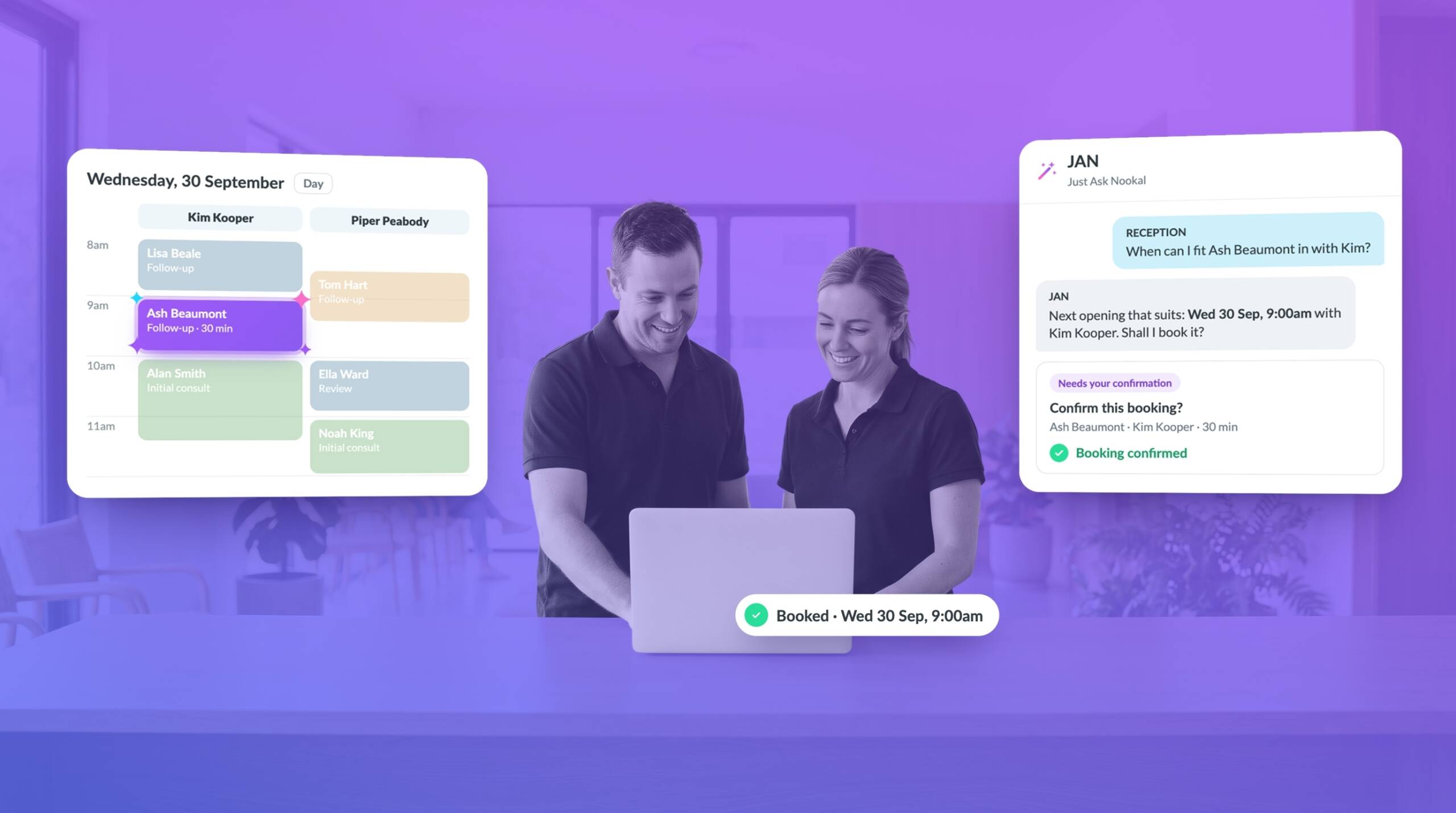
Your practice’s appointment schedule can change several times throughout the day. A new patient books in, someone needs to reschedule, a practitioner’s availability changes or a cancellation leaves an unexpected gap. Keeping everything up to date takes time, particularly when your reception team is also answering enquiries and looking after patients.
JAN, Nookal’s built-in AI Practice Assistant, can help take some of this work off your team’s hands. Using simple text or voice requests, you can ask JAN to help create and manage appointments and set up schedules for new practitioners.
With less time spent working through routine appointment tasks, your team can focus on keeping the practice organised and giving patients the attention they need.
There’s More to Managing Appointments
Booking patients into available appointments is only one part of managing a busy practice. Your reception team also need to keep track of practitioner availability, respond to changes and make sure schedules stay up to date.
Some of the regular tasks include:
- Creating appointments and finding suitable times for patients
- Managing changes to existing bookings
- Keeping track of practitioner availability as schedules change
- Setting up schedules for new practitioners
- Responding to appointment enquiries and booking requests
Individually, these tasks may not take long. But when they happen throughout the day, they can interrupt other work and add to the administrative load.
Keeping on top of these changes is an important part of running an organised practice.
Let JAN Help with Appointment Management
JAN works directly within Nookal, giving your team another way to handle appointment-related tasks without having to work through every step manually.
Rather than navigating menus to find the right settings or complete a task, you can use a straightforward text or voice request to ask JAN for help.
Whether you’re arranging a new appointment or setting up a schedule for a new practitioner, JAN gives your team another way to get these tasks done.
For example, you can ask JAN to help with:
- Creating or managing an appointment
- Setting up a new practitioner’s schedule
- Making changes to appointment arrangements
- Finding information about your practice by asking a question
This gives your team a more direct way to complete certain tasks within Nookal, without having to navigate through multiple menus.
JAN isn’t there to replace your reception team or take decisions away from practitioners. It provides practical assistance with the work involved in managing a practice, while your team stays in control.
Keep Practitioner Schedules Up to Date
When a practice has several practitioners, managing their schedules can become more involved. Each person may have different working hours, appointment types and availability to consider.
Setting up schedules for new team members is another task that needs attention. Getting these organised from the outset helps make appointment availability clearer and gives reception staff the information they need when booking patients.
JAN can help with setting up schedules for new practitioners, making this part of the process easier to manage.
Combined with Nookal’s existing appointment scheduling tools, this gives your team another way to keep practitioner availability organised as the practice changes and grows.
Make Better Use of Available Appointment Times
An up-to-date schedule gives your team a clearer picture of when practitioners are available and which appointment times patients can book.
Cancellations and rescheduling can create unexpected gaps, while changes to practitioner availability may affect existing bookings. Keeping track of these changes is important when trying to make good use of available appointment times.
JAN can assist with appointment management, reducing some of the manual work involved in keeping schedules current. Your team can then spend less time handling routine tasks and more time responding to patients and managing the wider demands of the practice.
Nookal’s existing booking and scheduling features also help keep appointment information organised, giving your team a central place to manage bookings and practitioner availability.
And What About the Waitlist?
Waiting lists can be useful when patients are looking for an earlier appointment or when a suitable time becomes available.
Rather than relying on patients to keep checking for cancellations, a waiting list gives practices a way to keep track of people who would like another appointment time.
Nookal’s Patient Portal also allows patients to join a waiting list where this functionality is enabled. This gives patients another way to manage their appointment preferences and can help practices keep track of those looking for an earlier booking.
While JAN’s appointment management assistance and Nookal’s existing waiting list tools serve different purposes, both contribute to making appointment administration easier for your team.
Spend Less Time on Appointment Administration
Well-organised practitioner schedules help practices make good use of available appointment times and make it easier for patients to access care.
But managing appointments shouldn’t mean spending the day working through one administrative task after another.
JAN brings practical AI assistance directly into Nookal, helping with appointments, practitioner schedules and other practice tasks. It’s another way to reduce routine administration while keeping your team in control of how the practice operates.



Leave a Comment